
 BLEAUBLOC
Track your bouldering projects, indoors and out
A project is any climb you keep going back to. Outdoors you save it yourself. Indoors you just log it by name, and after two sessions without a send it's tracked for you.
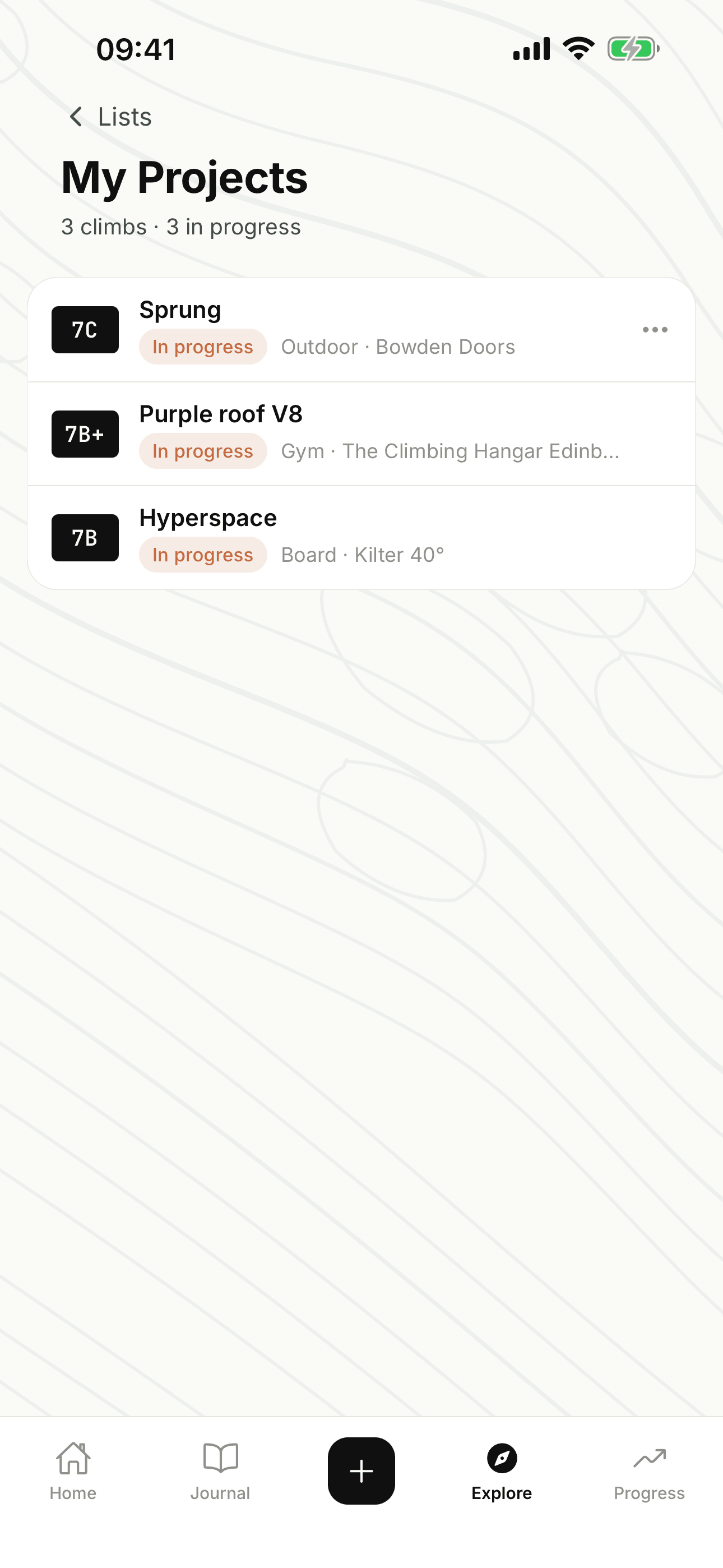
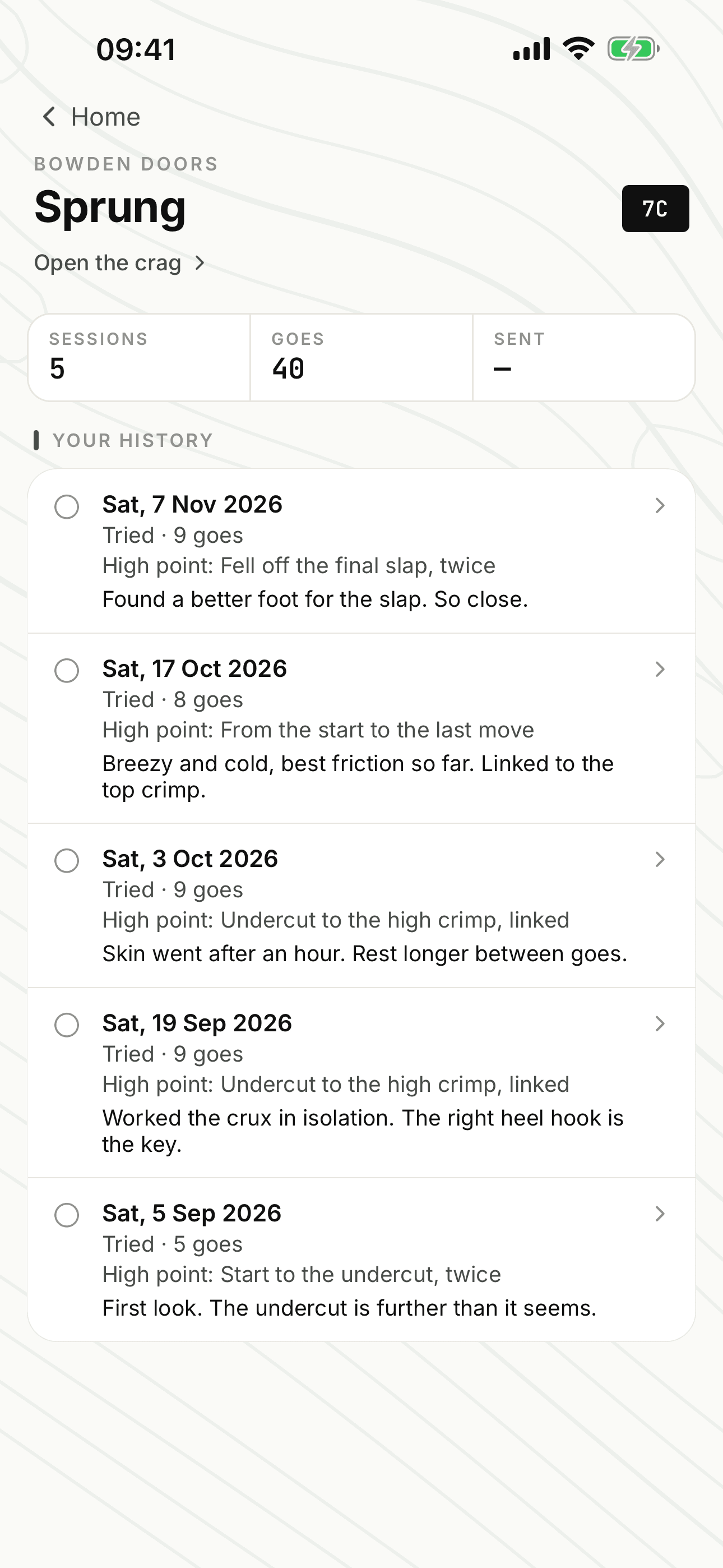
On a boulder outdoors
Find the problem on its crag page and tap the bookmark to put it in My Projects. Or just log a go: if you didn't send, the app asks whether to add it. It won't add one without asking.
Each go you log can hold:
- how many attempts you had
- where you fell, like "fell on move 4 of 6"
- your beta and any notes
Open the problem and you get the number of sessions and goes so far, then the high point and notes from each session, newest first. If the problem isn't in the app yet, you can add it.
On a gym or board climb
There's nothing to save. Give the climb a name when you log it (the app suggests names you've used at that gym before). Try it in two separate sessions without sending and it appears in My Projects with your count so far, like "21 goes over 3 sessions".
Board climbs are matched on name, board and angle, so a Kilter climb at 40° is tracked apart from one with the same name at 25°. A gym climb drops off after 60 days without a go. These don't get a page of their own, just the row in My Projects.
Checking in and sending
Home shows up to three projects you're working on, with how long it's been since you last tried each. Progress has a Still working on list, which you can filter to outdoor, indoor or board.
Log the send and the project's marked as sent. It stays in your list, comes off Home and Still working on, and the number of goes it took goes into the How long it took table in Progress.
Lists
My Projects and Want to Climb are there from the start, and you can make your own, up to 50 lists in all. They hold outdoor climbs only, and only you can see them. Each one shows how many you've tried and how many you've sent.
Trip send lists, which you can share with the people you're going with, are Bleausard only.
The details
- Save outdoors
- Bookmark on the problem, or after a go you didn't send
- Gym and board
- Added for you after two sessions on a named climb
- Each go
- Attempts, notes and beta; high point outdoors
- Problem history
- Sessions, goes, high point and notes per session
- Lists
- My Projects, Want to Climb and your own, 50 in all
- Offline
- Saving to a list works with no signal
- Bleausard only
- Trip send lists
It works with
Journal. Every go comes from a session you've logged.
Progress. Sends and goes feed your grades and the How long it took table.
Conditions. Check the rock at your project's crag before you go.
Want to try it? Leave your email and we'll send you a TestFlight invite.